簡単な位置制御チュートリアル
このチュートリアルでは、スタートガイドで紹介された概念を基に、Unityシーン内の動的なゲームオブジェクトを使用して、Inverse3 デバイスのカーソル位置を制御する方法をご紹介します。
はじめに
Inverse3 本デバイスは、****力制御(Force Control)**と****位置制御(Position Control)**の2つの制御モードに対応しています。
前者はカーソルの位置に応じて力を調整するのに対し、後者はカーソルの位置を直接操作します。
このチュートリアルでは、 動的なシーンにおける力フィードバックのチュートリアルそのシーンの設定を活用して、 FixedUpdate メソッド内で CursorSetPositionを使用して、デバイスのカーソルがゲームオブジェクトの動きに追従するように設定することに重点を置きます。
シーン設定
動的なシーンにおける力フィードバックのチュートリアルで説明した場面構成から始まります。この構成には ハプティック・リグと MovableObject コンポーネントによって制御される ムービング・ボール ゲームオブジェクトが含まれます。
SpherePositionControl コンポーネントの実装
ムービング・ボール ゲームオブジェクトの スフィアフォースフィードバック コンポーネントを SpherePositionControl.csという名前の新しいC#スクリプトに置き換えます。
SpherePositionControl クラス内に以下のプロパティを定義します:
public Inverse3 inverse3;
public float minSyncDistance = 0.05f;
private bool _isCursorSynchronized;
- inverse3: インスペクタを通じて設定される「Inverse3 」デバイスコンポーネントへの参照です。
- minSyncDistance: カーソルの同期を開始するための最小距離のしきい値です。
- _isCursorSynchronized:カーソルの動きが「Moving Ball」と同期しているかどうかを示すフラグです。
同期ロジック
「Moving Ball」との距離に応じて、カーソルの同期を開始および停止するメソッドを実装します:
private void StartSynchronizeCursor()
{
    var cursorPosition = inverse3.Cursor.transform.position;
    GetComponent<MovableObject>().SetTargetPosition(cursorPosition, teleport: true);
    _isCursorSynchronized = true;
}

private void StopSynchronizeCursor()
{
    _isCursorSynchronized = !inverse3.Release();
}
ここでは
MovableObject.SetTargetPosition(position, teleport:true)を使用して ムービングボールをカーソルの位置に瞬時に移動させます。
Update および FixedUpdate メソッド
Update メソッド内では、カーソルと ムービング・ボール 間の距離に応じて、カーソルの同期状態を切り替えます:
private void Update()
{
    var distance = Vector3.Distance(inverse3.CursorPosition, transform.position);
    if (!_isCursorSynchronized && distance <= minSyncDistance)
    {
        StartSynchronizeCursor();
    }
    else if (_isCursorSynchronized && distance > minSyncDistance)
    {
        StopSynchronizeCursor();
    }
}
同期が有効になっている場合、 FixedUpdateカーソルの位置を ムービング・ボールその位置に合わせて更新します:
private void FixedUpdate()
{
    if (_isCursorSynchronized)
    {
        inverse3.SetCursorPosition(transform.position);
    }
}
FixedUpdate メソッドを使用することで、グラフィックのレンダリング性能にかかわらず、位置制御が安定したフレームレートで動作することを保証できます。
初期化
Awake()では、左手/右手の設定に関係なく ムービング・ボールこのInverse3 デバイスがアクセス可能な場所から起動するようにしてください:
private void Awake()
{
    inverse3.Ready.AddListener(device =>
    {
        GetComponent<MovableObject>().SetTargetPosition(((Inverse3)device).WorkspaceCenterLocalPosition, teleport: true);
    });
}
ゲームプレイ体験
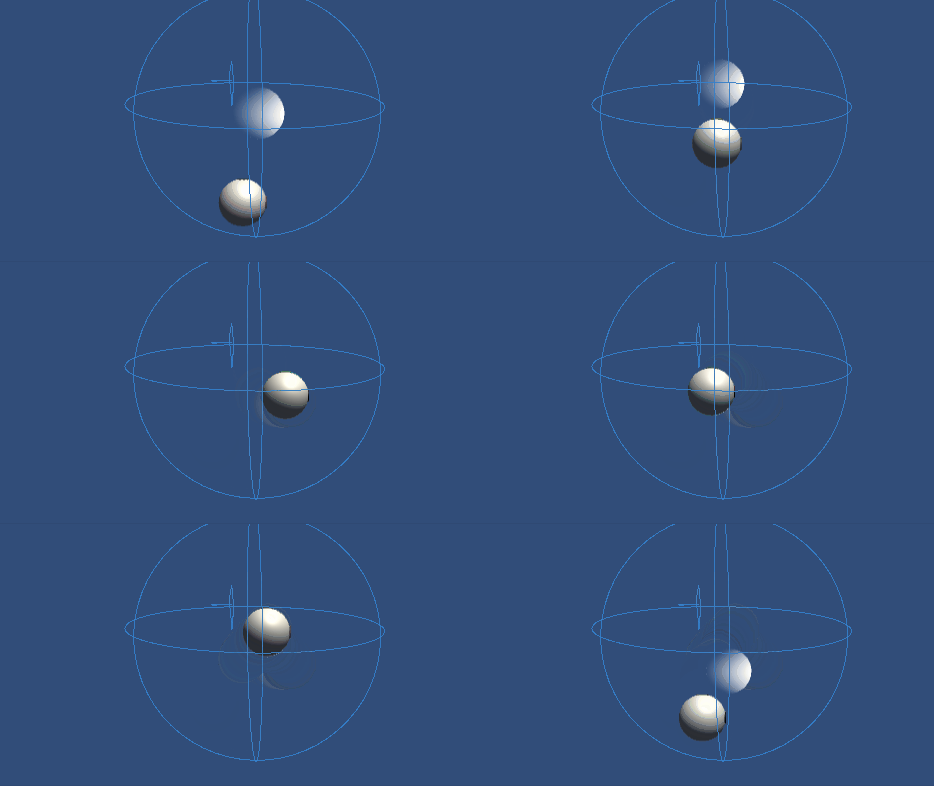
Inverse3 デバイスを固定し、十分なスペースを確保してください。 「Play」モードを有効にした後、カーソルを「Moving Ball」の近くに持っていくと、「Inverse3 」デバイスが「Moving Ball」の動きを追跡するようになります。 キーボード入力を使って「Moving Ball」を動かすことができ、これによりカーソルが位置を追跡する機能を確認できます。
ソースファイル
このチュートリアルの全シーンおよび関連ファイルは、Unityパッケージマネージャーの チュートリアル サンプルでご確認いただけます。
このサンプルには MovableObject スクリプトが含まれており、このスクリプトはいくつかの例で、キーボード入力を通じてゲームオブジェクトの動きを制御するために使用されます。
スフィアポジションコントロール.cs
/*
 * Copyright 2024 Haply Robotics Inc. All rights reserved.
 */

using Haply.Inverse.DeviceControllers;
using Haply.Samples.Tutorials.Utils;
using UnityEngine;

namespace Haply.Samples.Tutorials._5_SimplePositionControl
{
    /// <summary>
    /// Controls the Inverse3 cursor position based on the current position of this GameObject.
    /// When the GameObject is within a specified distance from the cursor, it initiates synchronized control,
    /// allowing the cursor to follow the GameObject's movements.
    /// </summary>
    [RequireComponent(typeof(MovableObject))]
    public class SpherePositionControl : MonoBehaviour
    {
        public Inverse3Controller inverse3;

        [Tooltip("Minimum distance required to initiate synchronized control between this GameObject and the Inverse3 cursor.")]
        [Range(0, 1)]
        public float minSyncDistance = 0.05f;

        private bool _isCursorSynchronized;

        private void Awake()
        {
            // Ensure inverse3 is set, finding it in the scene if necessary.
            inverse3 ??= FindFirstObjectByType<Inverse3Controller>();

            // When inverse3 is ready, so the handedness is defined
            inverse3.Ready.AddListener((device, args) =>
            {
                // Teleport the sphere to its workspace center to ensure it can be reached,
                // regardless of whether the device is left or right-handed. This ensures the GameObject starts in a
                // position that is accessible by the Inverse3 device.
                GetComponent<MovableObject>().SetTargetPosition(device.WorkspaceCenterLocalPosition, teleport:true);
            });
        }

        private void OnDisable()
        {
            // Ensure movement synchronization is disabled when the component is disabled.
            StopSynchronizeCursor();
            inverse3.Release();
        }

        private void Update()
        {
            if (!inverse3.IsReady)
            {
                return;
            }
            // Calculate the distance between the Inverse3 position and this object's position.
            var distance = Vector3.Distance(inverse3.CursorPosition, transform.position);

            // Enable synchronized movement if within the minimum sync distance and not already synced.
            if (!_isCursorSynchronized && distance <= minSyncDistance)
            {
                StartSynchronizeCursor();
            }
            // Disable synchronized movement if outside the minimum sync distance and currently synced.
            else if (_isCursorSynchronized && distance > minSyncDistance)
            {
                StopSynchronizeCursor();
            }
        }

        private void FixedUpdate()
        {
            if (_isCursorSynchronized)
            {
                // If in sync, set the Inverse3 cursor position to this object's position.
                inverse3.SetCursorPosition(transform.position);
            }
            else
            {
                inverse3.ProbeCursorPosition(true);
            }
        }

        private void StartSynchronizeCursor()
        {
            // Get the current cursor position.
            var cursorPosition = inverse3.Cursor.transform.position;

            // Teleport this object to the cursor position to avoid a sudden jump when position control starts.
            GetComponent<MovableObject>().SetTargetPosition(cursorPosition, teleport:true);

            // Start synchronizing the movement of this object with the cursor.
            _isCursorSynchronized = true;
        }

        private void StopSynchronizeCursor()
        {
            // Stop synchronizing the movement.
            _isCursorSynchronized = !inverse3.Release();
        }
    }
}