ダイナミックなシーンにおけるフォースフィードバックに関するチュートリアル
このガイドでは、基本的なフォースフィードバックのチュートリアルを基に、Unityで動的な相互作用をシミュレートし、ユーザーが動くオブジェクトからのフォースフィードバックを感じられるようにする方法について解説します。 このシナリオでは、ハプティックフィードバックには高頻度の更新が必要であることが明らかになります。その更新頻度は、Unityにおける一般的なビジュアルレンダリングの更新レートを大幅に上回ります。
はじめに
特にダイナミックなシーンにおいて、説得力のあるハプティック体験を実現するには、1kHzを超える周波数で計算を行うことが不可欠です。 これは、通常60Hz前後で動作するゲームの一般的な更新ループとは著しく対照的です。 課題は、一貫性があり正確な力覚フィードバックを維持するために、スレッド間の安全なデータ交換を確保しつつ、これらの高周波数更新をゲームのメインループと並行して処理することにあります。
基本のフォースフィードバック設定の拡張
その場面から始めましょう 基本的なフォースフィードバックのチュートリアル. 動的な動作を組み込むために、スクリプトを調整します SphereForceFeedback 球体の動きに反応し、動く物体との相互作用をシミュレートできるようにするためです。
主な変更点
- オブジェクトの動的な移動:ユーザーの入力やあらかじめ定義された移動パターンに基づいて、Sphere オブジェクトの位置と速度を更新するロジックを実装してください。
- スレッド間で安全にデータをやり取りする : 以下のものをご利用ください
ReaderWriterLockSlimメインスレッドとハプティックスレッド間で共有されるデータへの同時アクセスを管理するため。 - 力の計算の調整 : メソッドを変更してください
SphereForceFeedback.ForceCalculation球体の速度を考慮し、位置と動きの両方に基づいた現実的なフィードバックを提供するため。
動的相互作用
球体の動きをシミュレートするには、メソッド内でその位置を手動で更新するか、 Update、あるいは、キーボード入力やその他の操作に応じてその移動を制御する別のコンポーネントを使用する方法もあります。
この例では、オブジェクトの名前を スフィア ja ムービング・ボール そして、コンポーネントを追加します MovingObject 例で示されている チュートリアル.
原作: ForceCalculation 運動のために
フォースフィードバックの計算では、インタラクションの位置と速度に応じて力を調整することで、オブジェクト「Moving Ball」の速度を考慮に入れる必要があります。 これにより、インタラクションの動的な性質を反映した、より繊細でリアルなハプティック感覚が得られます。
- メソッドのパラメータを追加してください
Vector3otherVelocity - 置き換える
force -= cursorVelocity * dampingparforce -= (cursorVelocity - otherVelocity) * damping
private Vector3 ForceCalculation(Vector3 cursorPosition, Vector3 cursorVelocity, float cursorRadius,
    Vector3 otherPosition, Vector3 otherVelocity, float otherRadius)
{
    var force = Vector3.zero;

    var distanceVector = cursorPosition - otherPosition;
    var distance = distanceVector.magnitude;
    var penetration = otherRadius + cursorRadius - distance;

    if (penetration > 0)
    {
        // Normalize the distance vector to get the direction of the force
        var normal = distanceVector.normalized;

        // Calculate the force based on penetration
        force = normal * penetration * stiffness;

        // Calculate the relative velocity
        var relativeVelocity = cursorVelocity - otherVelocity;

        // Apply damping based on the relative velocity
        force -= relativeVelocity * damping;
    }

    return force;
}
スレッド間で安全にデータをやり取りする
オブジェクトがリアルタイムで移動・相互作用する動的なシーンでは、競合アクセスによるデータの破損が生じることなく、ハプティックフィードバックの計算が最新のデータに基づいて行われるようにすることが不可欠です。 そこで、スレッド間で安全にデータをやり取りすることが不可欠となります。
スレッド間の安全なデータ交換に関する重要な概念
- スレッド向けの安全なメカニズム : ご利用ください
ReaderWriterLockSlimデータへの同時アクセスを管理するためです。これにより、複数の読み取り操作や単一の書き込み操作が可能となり、データの整合性が確保されます。 - データの読み取りと書き込み :
- 講義:ハプティックスレッドは、データの更新に干渉しないよう、読み取りロック下にあるオブジェクトの位置と速度を読み取ります。
- 書き込み:メインスレッドによるオブジェクトデータの更新は、書き込みロック下で行われます。これにより、データの不整合状態を招く可能性のある同時読み取りや書き込みが防止されます。
Unityでの実装
-
シーンデータ用構造体:スレッド間で安全な操作を容易にするため、シーンに関する必要なデータをすべて格納する構造体を定義します。 この構造体には、Moving Ballとカーソルの位置、速度、および半径が含まれます。 このデータ構造体は、スレッド間で安全なデータ交換を行うための基盤となります。
private struct SceneData{public Vector3 ballPosition;public Vector3 ballVelocity;public float ballRadius;public float cursorRadius;}private SceneData _cachedSceneData; -
ロックの初期化 : のインスタンス
ReaderWriterLockSlimは、シーンのデータへのアクセスを管理するために初期化されます。 このロックにより、複数のスレッドが同時にデータを読み取ることも、1つのスレッドのみが書き込み用にデータを排他的にロックすることも可能となり、並行処理時のデータの整合性が保証されます。private ReaderWriterLockSlim _lock = new ReaderWriterLockSlim(); -
書き込みロックを適用したキャッシュへの書き込み : その方法
SaveSceneData書き込みロックをかけてシーンのデータを更新します。 これにより、あるスレッドがデータを更新している間、他のスレッドは読み取りも書き込みもできなくなるため、競合状態を防ぎ、一貫性を確保できます。private void SaveSceneData(){_cacheLock.EnterWriteLock();try{var t = transform;_cachedSceneData.ballPosition = t.position;_cachedSceneData.ballRadius = t.lossyScale.x / 2f;_cachedSceneData.cursorRadius = inverse3.Cursor.Radius;_cachedSceneData.ballVelocity = _movableObject.Velocity;}finally{_cacheLock.ExitWriteLock();}} -
読み取りロックを使用したキャッシュ内での読み取り : その方法
GetSceneDataシーンのデータを読み取りロック下で取得します。 これにより、複数のスレッドが書き込み操作に干渉することなくデータを同時に読み取ることができ、ハプティックフィードバックの計算が最新のシーンデータに基づいて行われるようになります。private SceneData GetSceneData(){_cacheLock.EnterReadLock();try{return _cachedSceneData;}finally{_cacheLock.ExitReadLock();}} -
メインスレッドでのデータの更新 : その方法
FixedUpdateメインスレッドでシーンのデータを定期的に更新する必要があります。 これにより、ハプティックフィードバックの計算が最新のデータにアクセスできるようになり、シーンの動的な性質が反映されます。private void FixedUpdate(){SaveSceneData();} -
更新されたデータを用いた力計算の適用 : リコール関数内で
OnDeviceStateChanged, 力の計算は、スレッドセーフな手法を用いて取得された最新のシーンデータに基づいて行われます。これにより、力のフィードバックが正確であり、シーン内の動的な相互作用に即座に反応することが保証されます。var sceneData = GetSceneData();var force = ForceCalculation(device.CursorLocalPosition, device.CursorLocalVelocity, sceneData.cursorRadius,sceneData.ballPosition, sceneData.ballVelocity, sceneData.ballRadius);
ゲーム体験
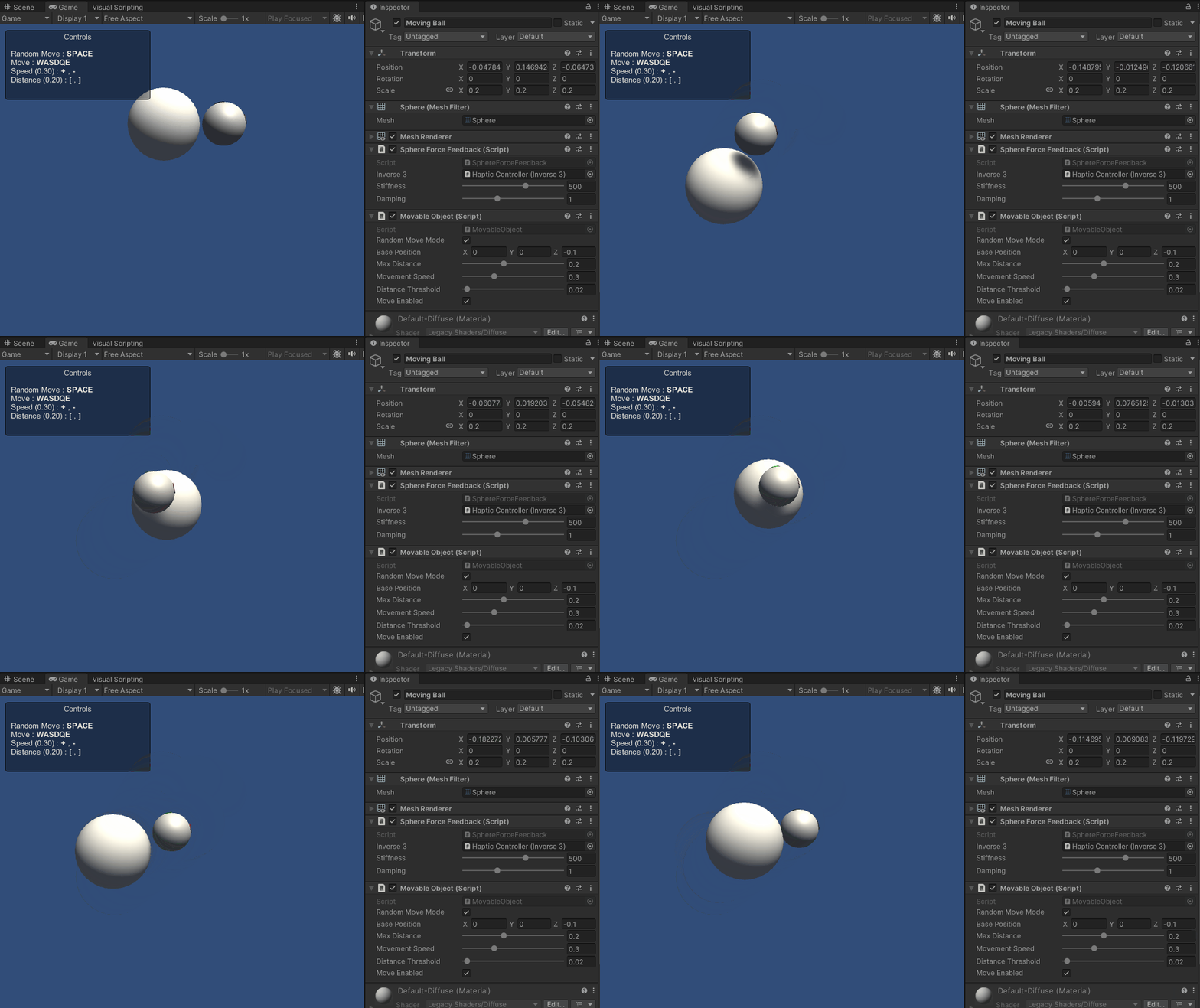
このスクリプトの改良により、シーン内を能動的に移動する球体とインタラクションを行うことが可能になりました。 ハプティックフィードバックは球体の軌道に合わせて動的に調整されるため、より没入感があり、触覚的にも豊かな体験を提供します。
ソースファイル
このサンプルに関連するシーン全体および関連ファイルは、Unityのパッケージマネージャーにある「Tutorials」サンプルからインポートできます。
例 チュートリアル スクリプトを含みます
MovableObject、いくつかの例で、キーボードのキーを使って、アタッチされたゲームオブジェクトの移動を制御するために使用されています。
スフィアフォースフィードバック.cs
/*
* Copyright 2024 Haply Robotics Inc. All rights reserved.
*/
using System.Threading;
using Haply.Inverse.DeviceControllers;
using Haply.Inverse.DeviceData;
using Haply.Samples.Tutorials.Utils;
using UnityEngine;
namespace Haply.Samples.Tutorials._4A_DynamicForceFeedback
{
public class SphereForceFeedback : MonoBehaviour
{
// must assign in inspector
public Inverse3Controller inverse3;
[Range(0, 800)]
// Stiffness of the force feedback.
public float stiffness = 500f;
[Range(0, 3)]
public float damping = 1f;
#region Thread-safe cached data
/// <summary>
/// Represents scene data that can be updated in the Update() call.
/// </summary>
private struct SceneData
{
public Vector3 ballPosition;
public Vector3 ballVelocity;
public float ballRadius;
public float cursorRadius;
}
/// <summary>
/// Cached version of the scene data.
/// </summary>
private SceneData _cachedSceneData;
private MovableObject _movableObject;
/// <summary>
/// Lock to ensure thread safety when reading or writing to the cache.
/// </summary>
private readonly ReaderWriterLockSlim _cacheLock = new();
/// <summary>
/// Safely reads the cached data.
/// </summary>
/// <returns>The cached scene data.</returns>
private SceneData GetSceneData()
{
_cacheLock.EnterReadLock();
try
{
return _cachedSceneData;
}
finally
{
_cacheLock.ExitReadLock();
}
}
/// <summary>
/// Safely updates the cached data.
/// </summary>
private void SaveSceneData()
{
    _cacheLock.EnterWriteLock();
    try
    {
        var t = transform;
        _cachedSceneData.ballPosition = t.position;
        _cachedSceneData.ballRadius = t.lossyScale.x / 2f;

        _cachedSceneData.cursorRadius = inverse3.Cursor.Radius;

        _cachedSceneData.ballVelocity = _movableObject.Velocity;
    }
    finally
    {
        _cacheLock.ExitWriteLock();
    }
}
#endregion
/// <summary>
/// Saves the initial scene data cache.
/// </summary>
private void Start()
{
inverse3 ??= FindFirstObjectByType<Inverse3Controller>();
inverse3.Ready.AddListener((device, args) => SaveSceneData());
_movableObject = GetComponent<MovableObject>();
}
/// <summary>
/// Update scene data cache.
/// </summary>
private void FixedUpdate()
{
if (inverse3.IsReady)
{
SaveSceneData();
}
}
/// <summary>
/// Subscribes to the DeviceStateChanged event.
/// </summary>
private void OnEnable()
{
inverse3.DeviceStateChanged += OnDeviceStateChanged;
}
/// <summary>
/// Unsubscribes from the DeviceStateChanged event.
/// </summary>
private void OnDisable()
{
inverse3.DeviceStateChanged -= OnDeviceStateChanged;
inverse3.Release();
}
/// <summary>
/// Calculates the force based on the cursor's position and another sphere position.
/// </summary>
/// <param name="cursorPosition">The position of the cursor.</param>
/// <param name="cursorVelocity">The velocity of the cursor.</param>
/// <param name="cursorRadius">The radius of the cursor.</param>
/// <param name="otherPosition">The position of the other sphere (e.g., ball).</param>
/// <param name="otherVelocity">The velocity of the other sphere (e.g., ball).</param>
/// <param name="otherRadius">The radius of the other sphere.</param>
/// <returns>The calculated force vector.</returns>
private Vector3 ForceCalculation(Vector3 cursorPosition, Vector3 cursorVelocity, float cursorRadius,
Vector3 otherPosition, Vector3 otherVelocity, float otherRadius)
{
var force = Vector3.zero;
var distanceVector = cursorPosition - otherPosition;
var distance = distanceVector.magnitude;
var penetration = otherRadius + cursorRadius - distance;
if (penetration > 0)
{
// Normalize the distance vector to get the direction of the force
var normal = distanceVector.normalized;
// Calculate the force based on penetration
force = normal * penetration * stiffness;
// Calculate the relative velocity
var relativeVelocity = cursorVelocity - otherVelocity;
// Apply damping based on the relative velocity
force -= relativeVelocity * damping;
}
return force;
}
/// <summary>
/// Event handler that calculates and send the force to the device when the cursor's position changes.
/// </summary>
/// <param name="sender">The Inverse3 data object.</param>
/// <param name="args">The event arguments containing the device data.</param>
private void OnDeviceStateChanged(object sender, Inverse3EventArgs args)
{
var inverse3 = args.DeviceController;
var sceneData = GetSceneData();
// Calculate the moving ball force.
var force = ForceCalculation(inverse3.CursorLocalPosition, inverse3.CursorLocalVelocity, sceneData.cursorRadius,
sceneData.ballPosition, sceneData.ballVelocity, sceneData.ballRadius);
// Apply the force to the cursor.
inverse3.SetCursorLocalForce(force);
}
}
}