デバイスワークスペースの変換チュートリアル
このチュートリアルは基本的な力覚フィードバックチュートリアルをさらに発展させたもので、空間変換のプロパティとメソッドを使用して Inverse3 デバイスの位置、回転、スケールを調整する方法について説明します。
はじめに
基本的な力覚フィードバックのシーンを設定した後、Haptic OriginやHaptic Controllerを移動、拡大・縮小、回転させても、期待どおりに力覚フィードバックに反映されないことに気づくかもしれません。 フィードバックは依然として、デバイスの前方にある目に見えない球体に対応しており、これらの変換の影響を受けません。
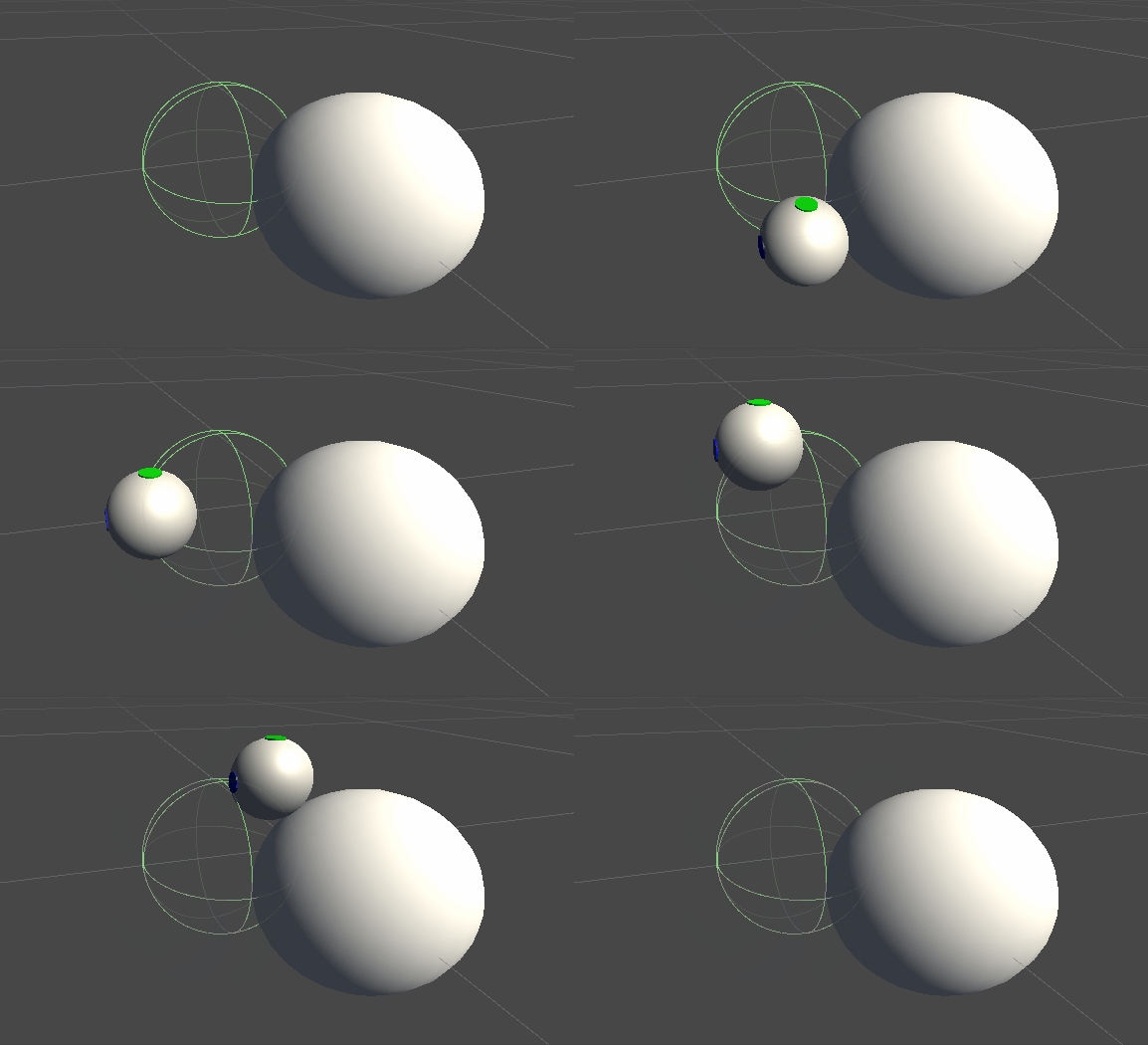
この不一致は、力の計算において、デバイスのカーソルの変換されていない実際の座標が使用されているために発生します。 この問題に対処するため、Inverse3 Controllerコンポーネントが提供するスレッドセーフなキャッシュ済み変換行列を利用し、力覚フィードバックの計算にワールド空間の変換を適用できるようにします。
シーンの設定
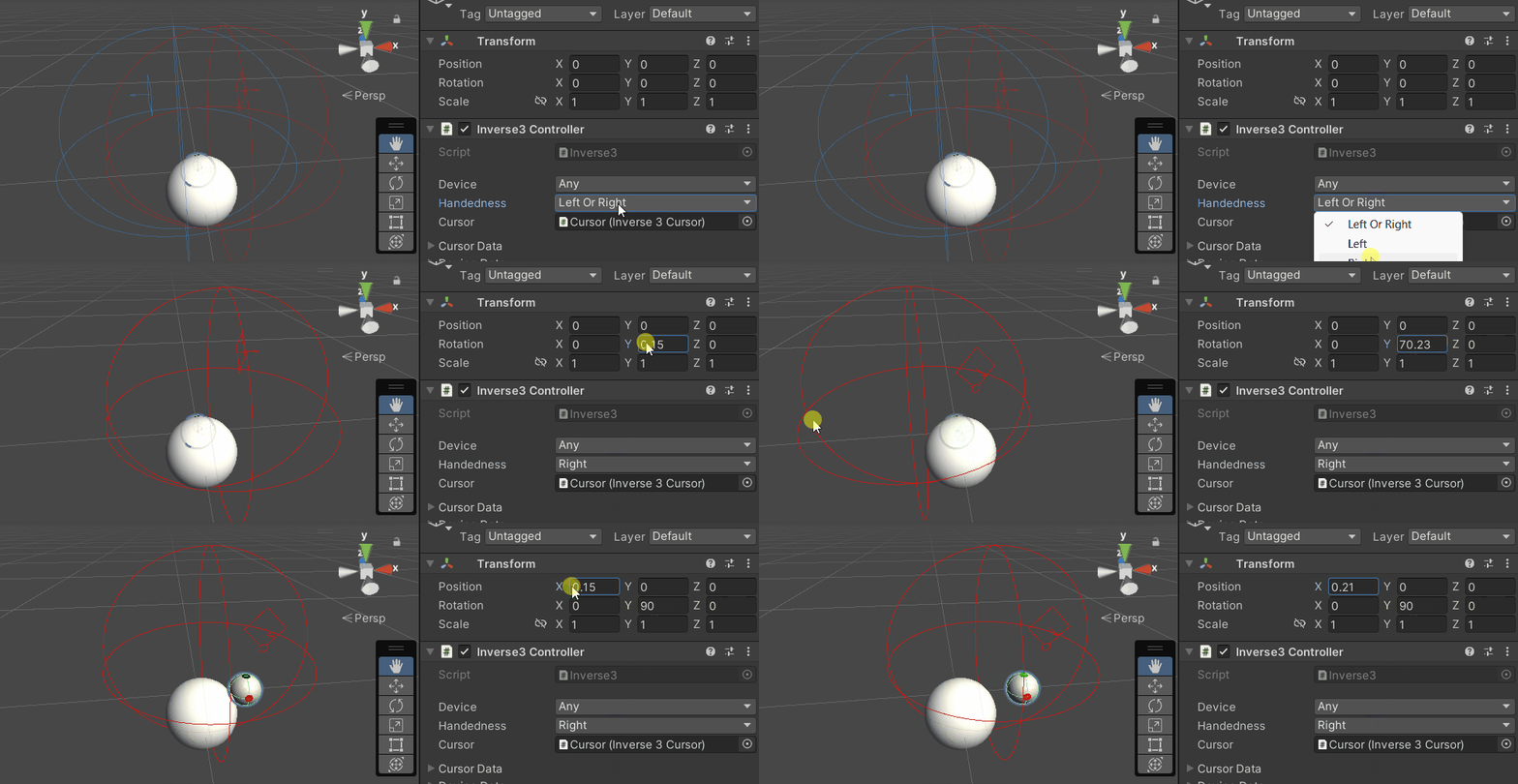
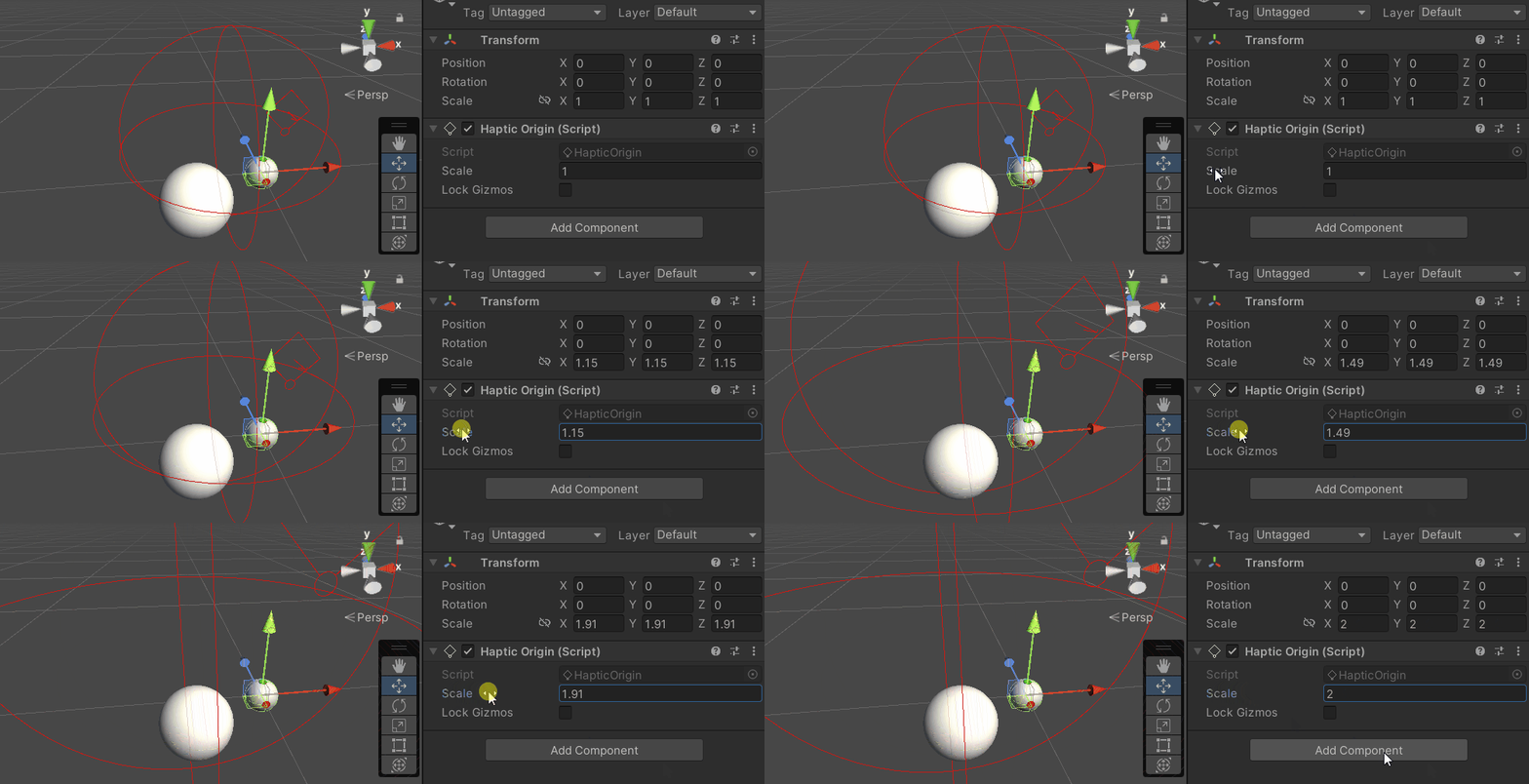
基本的な力覚フィードバックのチュートリアルシーンから始め、Inverse3 コントローラーの利き手設定がお使いのデバイスと一致していることを確認してください。 Hapticコントローラーを回転させて、「Haply 」のロゴがカメラに向くようにし、必要に応じて「Haptic Origin」のスケールを調整して、カーソルの可動範囲を広げたり位置を調整したりしてください。
力覚フィードバックスクリプトの変更点
基本的な力覚フィードバックのチュートリアルから SphereForceFeedback.cs スクリプトをコピーして、OnDeviceStateChanged コールバック内で、以下の変更を行ってください。
device.CursorLocalPositionをdevice.CursorPositionに置き換えます。device.CursorLocalVelocityをdevice.CursorVelocityに置き換えます。device.CursorSetLocalForce(force)をdevice.CursorSetForce(force)に置き換えます。
private void OnDeviceStateChanged(object sender, Inverse3EventArgs args)
{
    var inverse3 = args.DeviceController;
    var force = ForceCalculation(inverse3.CursorPosition, inverse3.CursorVelocity,
        _cursorRadius, _ballPosition, _ballRadius);

    inverse3.SetCursorForce(force);
}
ゲームプレイの体験
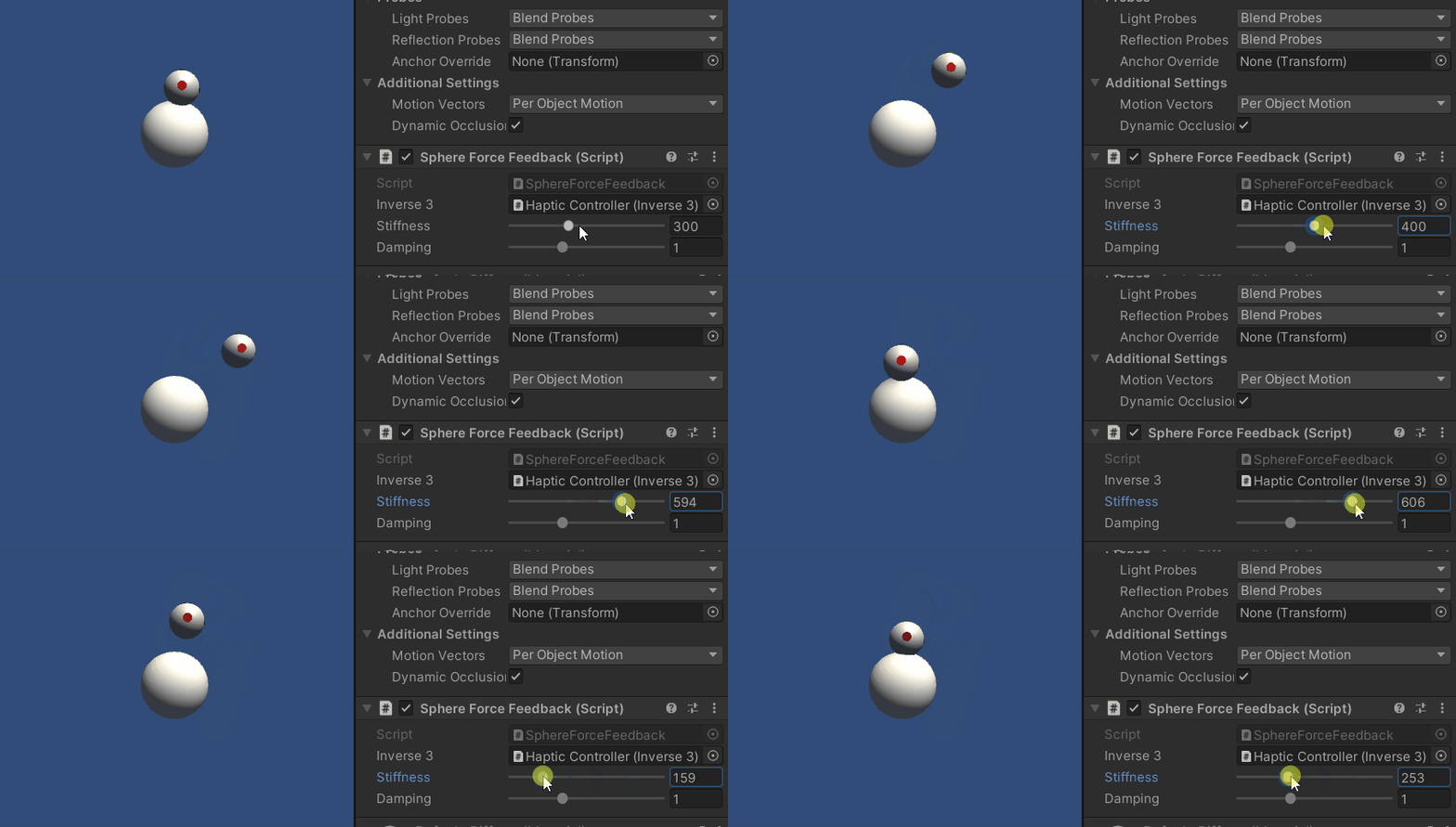
Inverse3 カーソルを押したまま「Play Mode」に入ります。前の例と同様に、球体に触れてみてください。 「Haptic Origin」と「Haptic Controller」に適用された変換が反映され、正確な力覚フィードバックを体験できるはずです。
ソースファイル
この例の完全なシーンと関連ファイルは、Unity のパッケージマネージャーにある「Tutorials」サンプルからインポートできます。
このサンプルシーンには、実行時に「Haptic Controller」と「Haptic Origin」を調整するための追加スクリプトが含まれています。
スフィアフォースフィードバック.cs
/*
 * Copyright 2024 Haply Robotics Inc. All rights reserved.
 */

using Haply.Inverse.DeviceControllers;
using Haply.Inverse.DeviceData;
using UnityEngine;

namespace Haply.Samples.Tutorials._3_DeviceSpaceTransform
{
    public class SphereForceFeedback : MonoBehaviour
    {
        // must assign in inspector
        public Inverse3Controller inverse3;

        [Range(0, 800)]
        // Stiffness of the force feedback.
        public float stiffness = 300f;

        [Range(0, 3)]
        public float damping = 1f;

        private Vector3 _ballPosition;
        private float _ballRadius;
        private float _cursorRadius;

        /// <summary>
        /// Stores the cursor and sphere transform data for access by the haptic thread.
        /// </summary>
        private void SaveSceneData()
        {
            var t = transform;
            _ballPosition = t.position;
            _ballRadius = t.lossyScale.x / 2f;

            _cursorRadius = inverse3.Cursor.Radius;
        }

        /// <summary>
        /// Saves the initial scene data cache.
        /// </summary>
        private void Awake()
        {
            inverse3 ??= FindFirstObjectByType<Inverse3Controller>();
            inverse3.Ready.AddListener((device, args) => SaveSceneData());
        }

        /// <summary>
        /// Subscribes to the DeviceStateChanged event.
        /// </summary>
        private void OnEnable()
        {
            inverse3.DeviceStateChanged += OnDeviceStateChanged;
        }

        /// <summary>
        /// Unsubscribes from the DeviceStateChanged event.
        /// </summary>
        private void OnDisable()
        {
            inverse3.DeviceStateChanged -= OnDeviceStateChanged;
            inverse3.Release();
        }

        /// <summary>
        /// Calculates the force based on the cursor's position and another sphere position.
        /// </summary>
        /// <param name="cursorPosition">The position of the cursor.</param>
        /// <param name="cursorVelocity">The velocity of the cursor.</param>
        /// <param name="cursorRadius">The radius of the cursor.</param>
        /// <param name="otherPosition">The position of the other sphere (e.g., ball).</param>
        /// <param name="otherRadius">The radius of the other sphere.</param>
        /// <returns>The calculated force vector.</returns>
        private Vector3 ForceCalculation(Vector3 cursorPosition, Vector3 cursorVelocity, float cursorRadius,
            Vector3 otherPosition, float otherRadius)
        {
            var force = Vector3.zero;

            var distanceVector = cursorPosition - otherPosition;
            var distance = distanceVector.magnitude;
            var penetration = otherRadius + cursorRadius - distance;

            if (penetration > 0)
            {
                // Normalize the distance vector to get the direction of the force
                var normal = distanceVector.normalized;

                // Calculate the force based on penetration
                force = normal * penetration * stiffness;

                // Apply damping based on the cursor velocity
                force -= cursorVelocity * damping;
            }

            return force;
        }

        /// <summary>
        /// Event handler that calculates and send the force to the device when the cursor's position changes.
        /// </summary>
        /// <param name="sender">The Inverse3 data object.</param>
        /// <param name="args">The event arguments containing the device data.</param>
        private void OnDeviceStateChanged(object sender, Inverse3EventArgs args)
        {
            var inverse3 = args.DeviceController;
            // Calculate the ball force. Using 'device.Position' instead of 'device.LocalPosition'
            // ensures the force calculation considers the device's offset and rotation in world space.
            var force = ForceCalculation(inverse3.CursorPosition, inverse3.CursorVelocity,
                _cursorRadius, _ballPosition, _ballRadius);

            // Apply the calculated force to the cursor. Using 'device.CursorSetForce' instead of
            // 'device.CursorSetLocalForce' ensures that the force vector is correctly converted
            // from world space to the device's local space.
            inverse3.SetCursorForce(force);
        }
    }
}